Evaluate comment interactions by relevance before volume

Redaily
7/16/2025

Updated
Comment sections can reveal reader questions, but there is no evidence here that seven days of automated replies improve an activity score by a fixed percentage.
Choose relevant discussions and read both the post and reply target. Participate when you can clarify, add information or ask a genuine question. Manually inspect whether replies address the question instead of counting only sends.
Workflows can filter comments; replies and collection require Pro. For individual approval, use manual AI candidates. Keep actual audience feedback separate from extension reply counts.
Separate setup from execution
Choose an accessible post link, configure reply mode and filters, then start. The two historical screenshots illustrate configuration entries; they do not establish expected growth for your account.
Check quality with one concrete reply
If a reader asks about tutorial dimensions, first see whether the author already answered. When not answered, ask what you genuinely need clarified; do not let AI invent your experience. Relevant content can still require no reply.
Review target relevance, matching scope, final wording and actual publication before checking genuine responses. Reply count is execution volume. Visits, incoming follows or sales require independent evidence. Stop duplicate or irrelevant replies instead of compensating with higher probability.
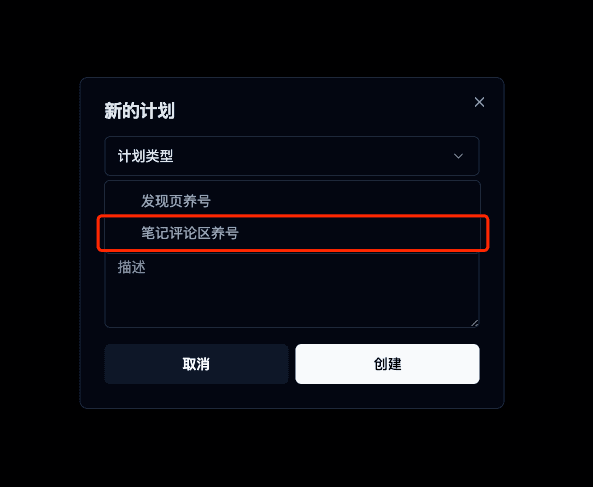
Select the comment workflow type, then open its configuration to add post links. This image helps identify the entry point; labels depend on the installed version.
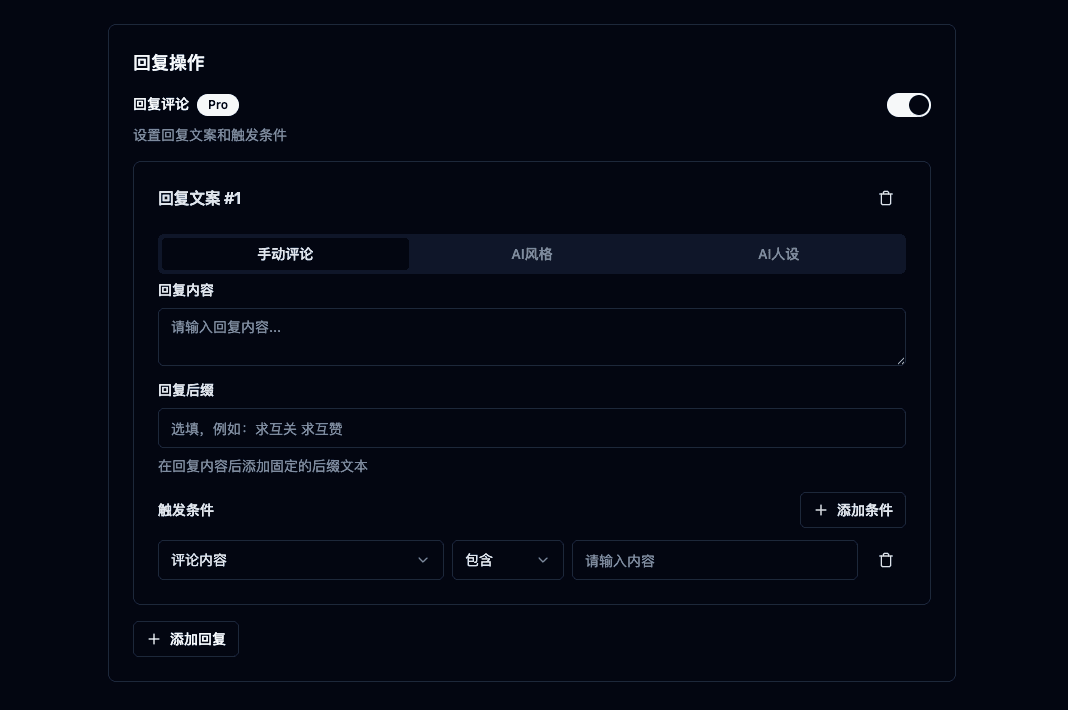
Check the target post before configuring actions and filters. This historical screen illustrates configuration; use current entitlement information for automated replies, collection and schedules.
Product reference
Product steps were checked against extension 3.5.3. See the related guide for instructions and pricing for access. Report behavior that differs through feedback, including the version and a redacted error.