Automate REDnote tasks
Save time on repeat work
Redaily is a Chrome extension for browsing and interaction workflows. Comments and schedules require Pro; execution records stay on your device.
Configure, run, and review REDnote web workflows
Basic interaction workflows are free. Comments, replies, collection, schedules, and duration controls require Pro.
View all features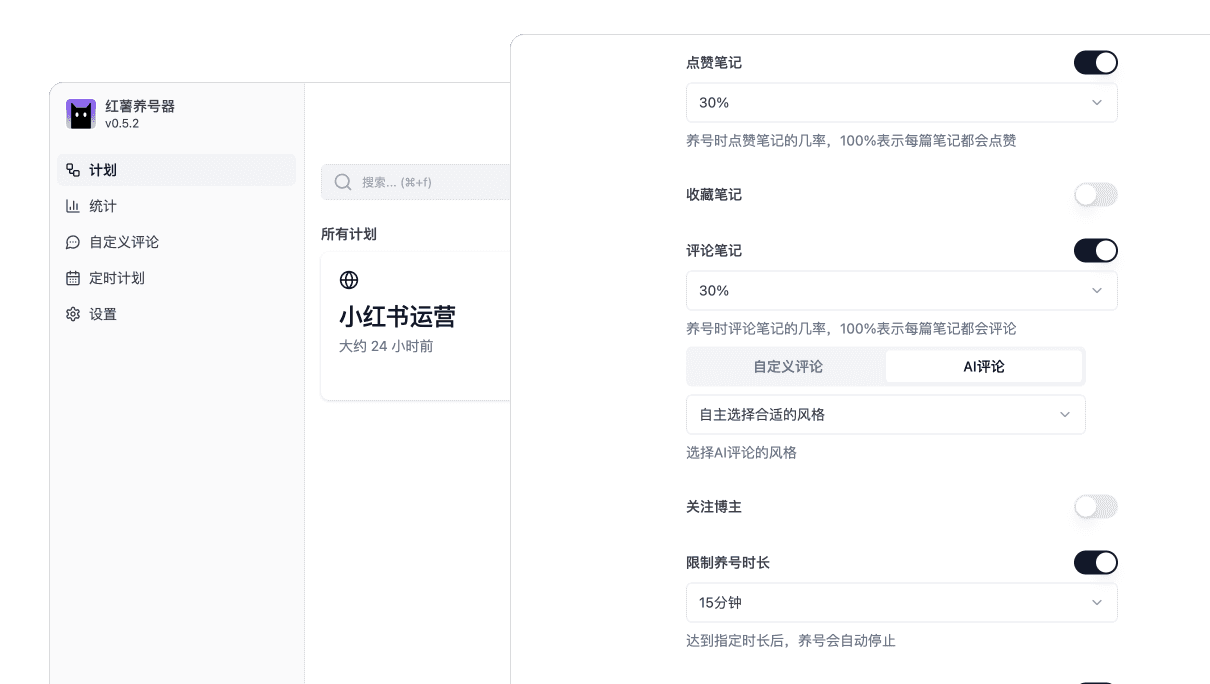
Configure interaction workflows
Redaily supports keyword search and post filters, with browsing, likes, saves, and follows. Automated comments require Pro.
Learn moreChoose actions for the target page and task.
RedailyOnce set, it can be reused multiple times.
Run workflows in the browser
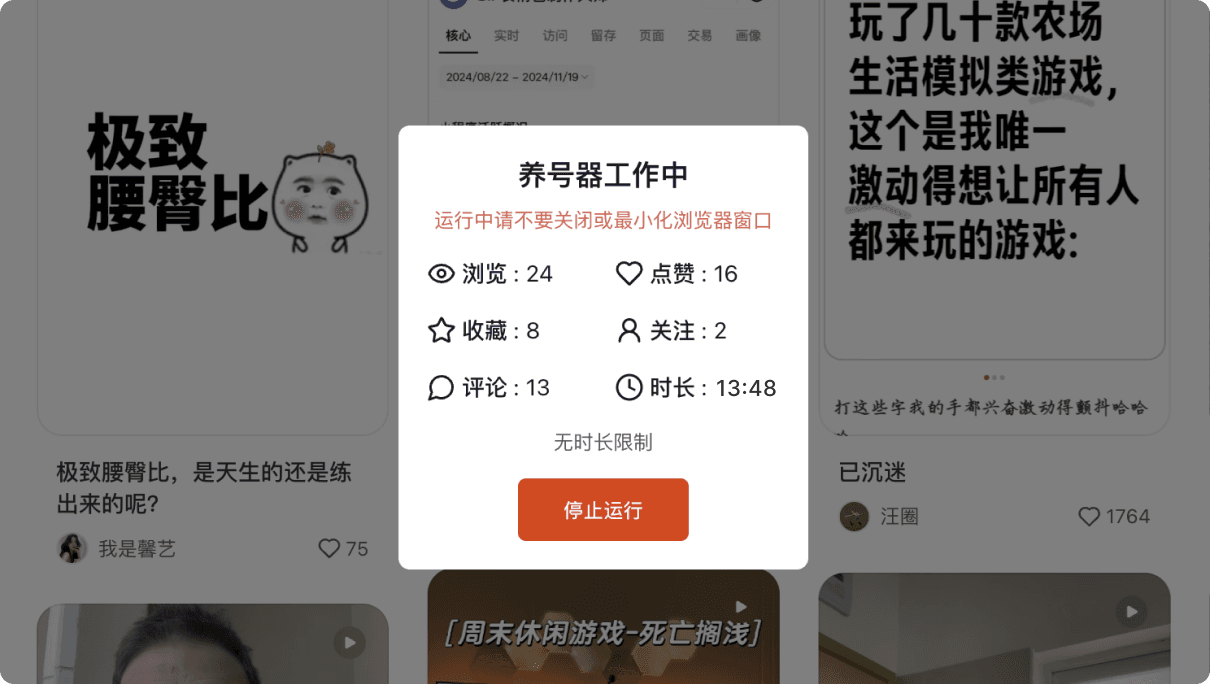
RedailyThe extension runs configured tasks on supported Xiaohongshu or REDnote pages. Scheduling and per-run duration controls require Pro.
Learn moreRedailyReview the current task status on the web page.
Track workflow progress at a glance
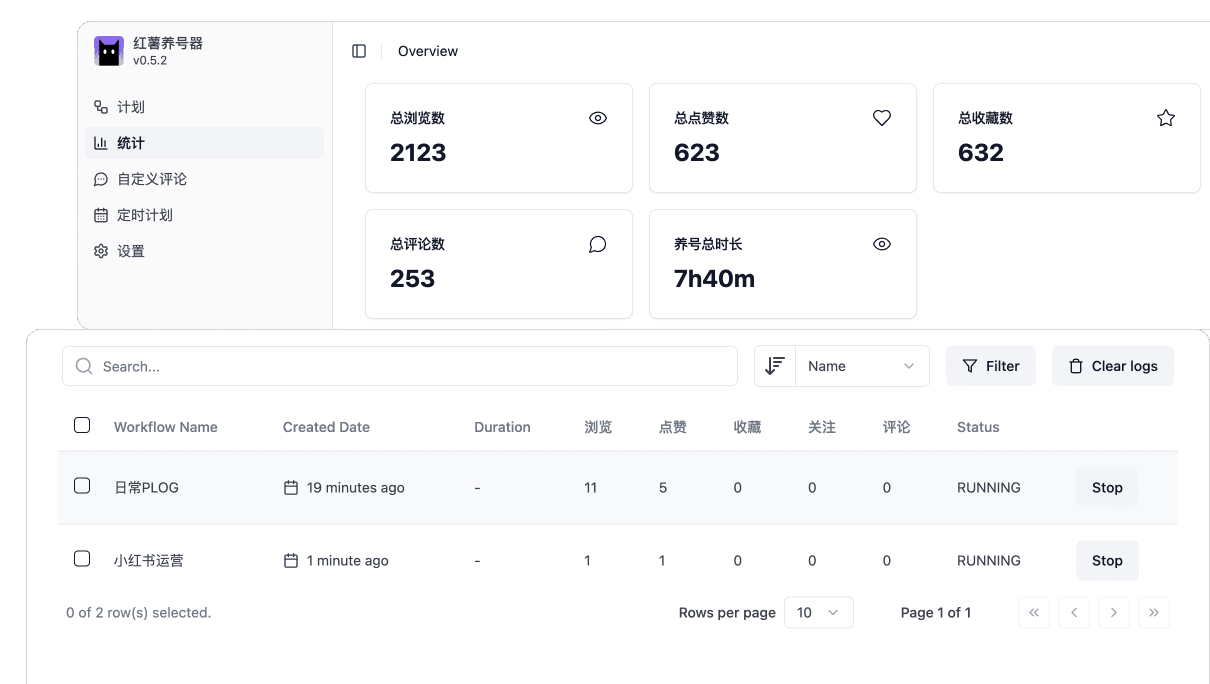
Interface example; fields may differ in the current release.
Review workflow records
Redaily records browsing, likes, saves, comments, follows, and run duration. These records do not represent platform impressions or follower growth.
Learn moreClear and intuitive data presentation
RedailyMetrics describe extension actions and run duration.
Video Tutorials
Master Redaily quickly through video tutorials
Redaily Installation Tutorial
Learn how to use Redaily from scratch, including detailed installation, configuration and usage steps
Watch full video on BilibiliRedaily Explore Page Nurturing Setup Tutorial
See examples of Explore page filters, interactions, and run settings
Watch full video on BilibiliNeed more learning resources?
Frequently asked questions
Specific answers about setup, plans, runtime requirements, and data scope.
What can I use on the Free plan?
Free includes basic browsing, liking, saving, and following workflows, custom comment library management, and local workflow records. Automated comments, replies, collection, scheduling, and duration controls require Pro.
How do I cancel my subscription?
After signing in, manage the subscription from your account billing page. Your account and extension show the resulting access status after cancellation or expiry.
Do workflows continue running in the cloud?
No. Workflows depend on Chrome, the extension, and the target web page remaining available. Closing them may stop the workflow.
Is there a Pro trial?
Accounts starting their first subscription, with no subscription history, are eligible for a 7-day trial. Returning subscribers do not receive another trial; checkout shows the final terms.
Do AI comments guarantee results?
No. AI provides context-based comment candidates that should be reviewed before use. Redaily does not promise impressions, followers, account ranking, or other platform outcomes.
What do the analytics represent?
Analytics show extension-recorded workflow actions and run duration. They are not REDnote or Xiaohongshu impressions, follower counts, or account ranking.