Workflow execution analytics
Use local execution records to see what ran, where a workflow stopped and which settings to check next. These records describe extension activity.
Available on: Free and Pro
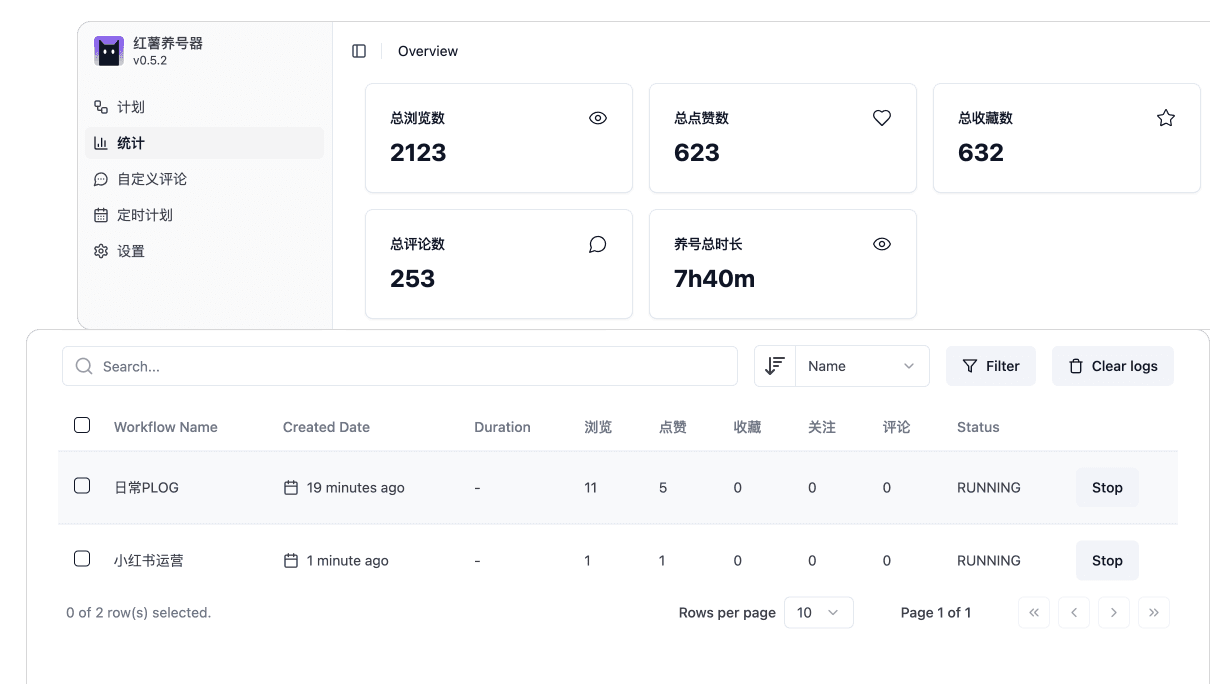
Counts describe actions
Review task-specific browse, like, save, comment and follow counts alongside execution status. Configuration, filters or page state may cause actions to be skipped. A configured probability is not an exact quota for every run.
Start with a single run
Confirm that the workflow started and completed, then inspect its counts and error information. For support, share the task type, extension version and a description without personal data. Do not send account credentials or your entire local database.
Activity is not audience growth
An automated view, like or comment is not an impression, like or new follower on your own posts. Evaluate content performance separately in the platform's analytics. Record content changes and timing before attributing a result to the tool.
Understand local storage
Workflow settings and execution records primarily live in the current browser profile's local database. Moving devices, removing the extension or clearing storage can remove them. Account, subscription and AI features also use server processing, so the entire product is not local-only.
Reviewed September 17, 2026. Refer to the current extension interface and documentation for exact steps.