AI comments and replies
Use Redaily to draft a few responses when you need help replying to a post. Choose a style or perspective, then review the wording for the actual conversation.
Available on: Pro
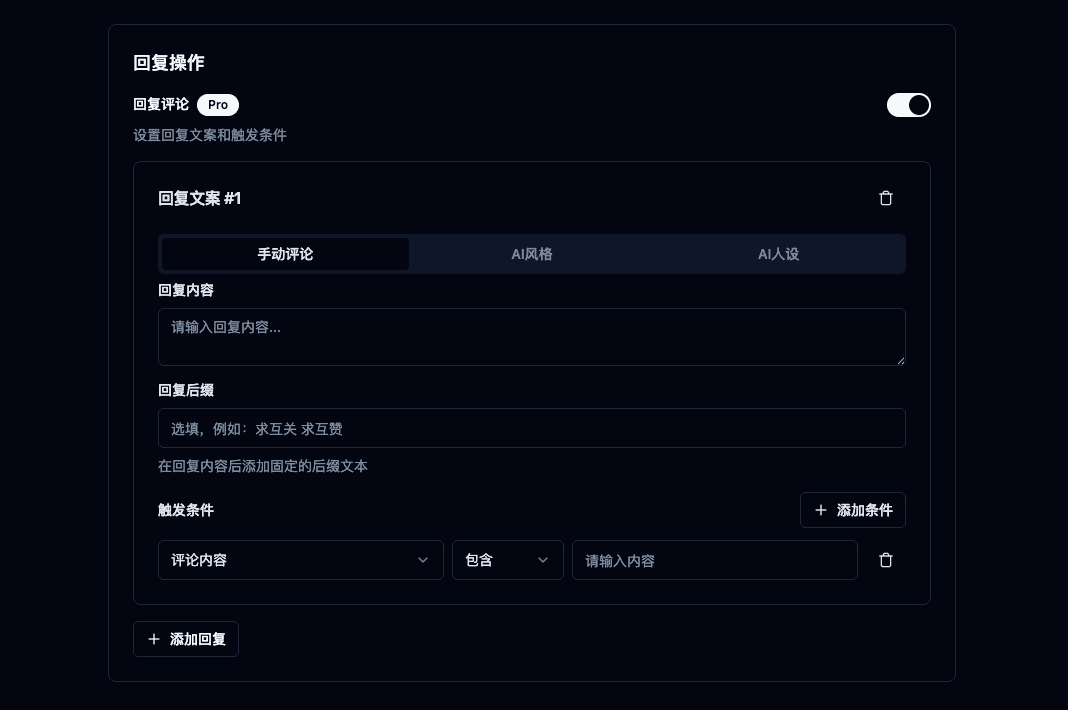
From post text to suggestions
Open the AI entry on a signed-in Xiaohongshu or REDnote post and choose an AI style or persona. Post titles, text and relevant comment context are sent through the server to an AI service. Suggestions are not fact-checked; avoid implying experiences or identities that are not yours.
Manual assistance and automated tasks
The manual assistant fills the comment field with a selected suggestion so you can edit it before submitting. Automated workflow comments may be sent directly according to the saved configuration. Those comments do not receive individual human approval. Check targets, probabilities and wording before enabling automation.
A reviewable example
Example input: a post discussing coffee-grind size. A detail-seeking style might help you draft a relevant question such as, “Which brewing method works with this grind?” This is an editorial example, not a recorded model result or evidence of engagement performance.
Requirements and failure handling
An eligible Pro subscription, an active website login and a working network are required. Latency and results depend on the model service and input. If generation times out or returns a permission error, check login and subscription status, simplify the input or retry later.
Reviewed September 17, 2026. Refer to the current extension interface and documentation for exact steps.